TradingView indicators

The dashboard's marks, on your own charts

Two of the reads behind Canary Dashboard, as TradingView indicators you can put on any chart you open. Read what each one does, look at it on TradingView, then decide.

TradingView invite-only·$19 USD each, one-time·Lifetime email support·Education only

TradingView · Daily chart only

Vanna & Charm Flows and Window of Weakness

Know which part of the month you're trading in
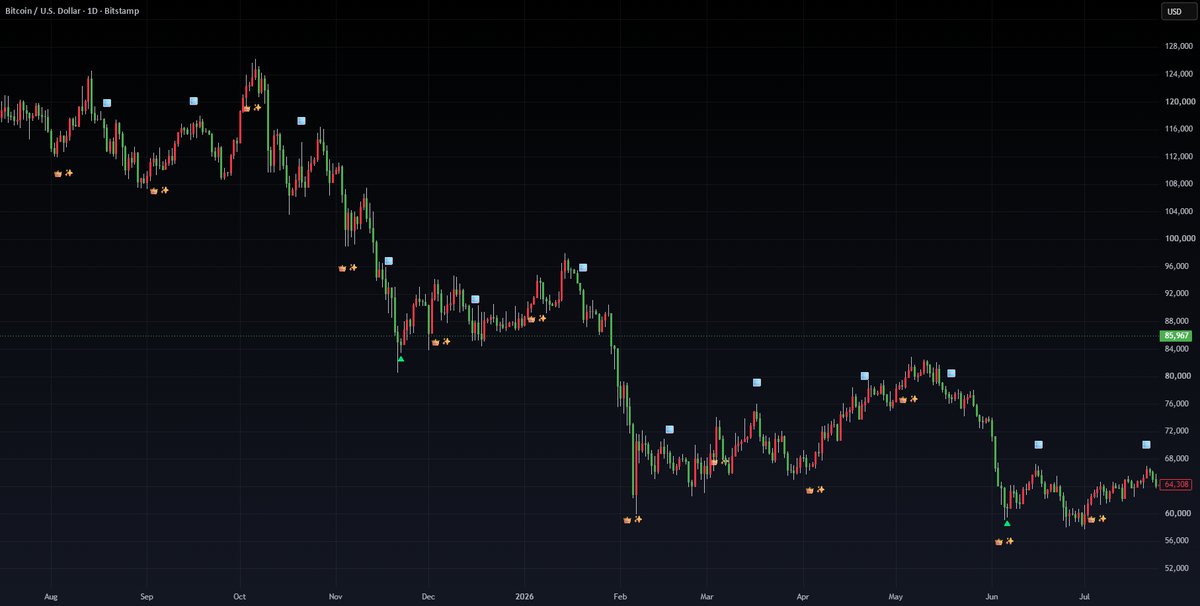
Vanna & Charm Flows indicator on a daily Bitcoin chart, with 👑✨ and 🪟 marks

Marks the days when options-dealer rebalancing (vanna and charm) usually supports stocks, and the window later in the month when that support steps away. I use it to decide when to lean in and when to keep size lighter.

  • 👑✨ marks the days when vanna and charm flows are usually supportive
  • 🪟 marks the window of weakness, when those flows are "on holiday"
  • The same monthly read as the Vanna & Charm box on the dashboard, on your own charts

Lifetime email support: shaun@canarydashboard.com

Education only · not a buy/sell tip

TradingView · Daily chart only

Time to Fish or Getting Sweaty

Spot washed-out names and tired ones on your own charts

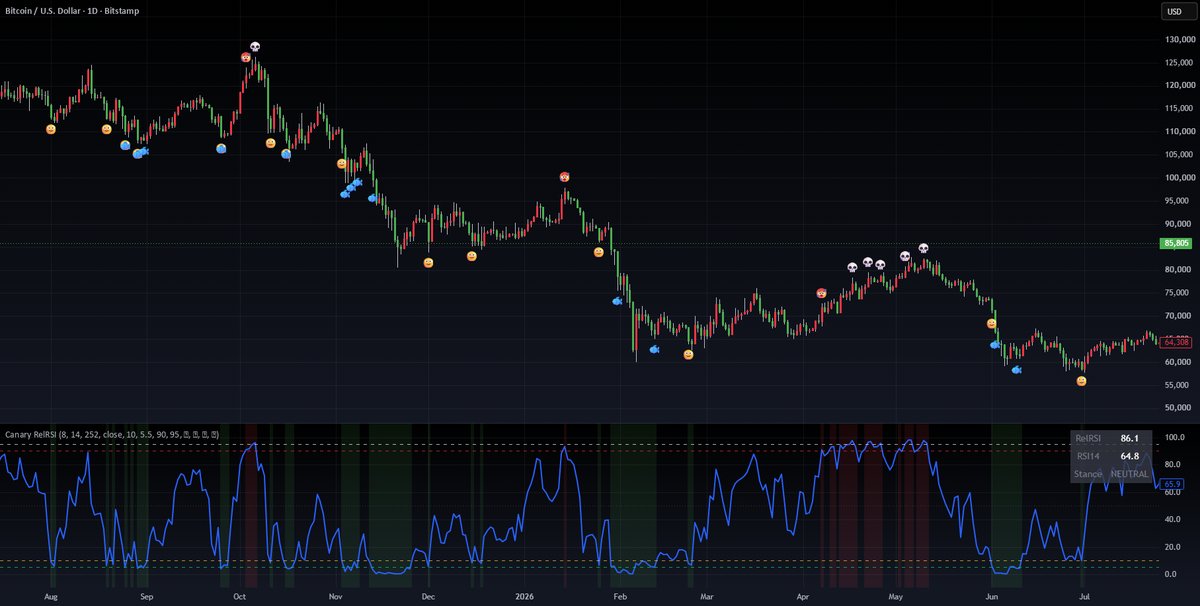
Time to Fish or Getting Sweaty indicator on a daily Bitcoin chart, with 🙂🐟 and 🥵💀 marks

Puts the same 🙂🐟 and 🥵💀 marks from our Fish and Sweaty scanners on any chart you open. It helps you find stocks that look sold out and worth a closer look, and notice when a name has run hard and is getting tired.

  • 🙂🐟 appears when conditions favour buying or bottoming
  • 🥵 appears when the stock looks exhausted, 💀 when price loses upside momentum
  • The same read behind the Fish and Sweaty boxes on the dashboard

Lifetime email support: shaun@canarydashboard.com

Education only · not a buy/sell tip

How buying works

01

Tell us your TradingView username

These are invite-only scripts, so access is added to your TradingView username. We also need your email for the receipt.

02

Pay once

$19 USD per indicator, one-time. Card payments are being set up now.

03

Open it on your chart

Once access is added, find it under Invite-only scripts in your TradingView indicators list and add it to a daily chart.

Questions

Do I need a paid TradingView plan?
No. Invite-only scripts can be added on any TradingView account, including the free plan.
Which timeframe?
Both indicators are built for the daily chart.
What support do I get?
Lifetime email support at shaun@canarydashboard.com. Send questions or ideas, and we'll keep improving them together.
Is this financial advice?
No. These are chart tools for education. They don't tell you what to buy or sell, and past marks don't promise future results.